
Quick Fix: My MCP Tools Were Showing as Write Tools in ChatGPT Dev Mode
MCP
I recently enabled ChatGPT developer mode and noticed something weird: all my dev.to MCP server tools were showing up as write tools, even though they’re purely read-only operations that just fetch data.
Turns out there are additional MCP tool annotations I wasn’t using that fix this issue.
The Fix#
I added readOnlyHint and openWorldHint annotations to all my tools:
server.registerTool("get_articles", { description: "Get articles from dev.to", annotations: { readOnlyHint: true, openWorldHint: true }, // ... rest of tool definition});Understanding MCP Tool Annotations#
MCP provides several tool annotations that help clients understand tool behavior:
readOnlyHint: Indicates the tool doesn’t modify its environment (read operations)destructiveHint: Signals the tool may perform destructive updates (delete operations)idempotentHint: Shows repeated calls with same arguments have no additional effect (useful for update operations)openWorldHint: Indicates the tool interacts with external entities like APIs or the web
These hints essentially map to CRUD operations:
- Create/Update tools:
readOnlyHint: false, withidempotentHint: truefor updates - Read tools:
readOnlyHint: true - Delete tools:
destructiveHint: true
Here’s the PR:
https://github.com/nickytonline/dev-to-mcp/pull/4The Result#
Now my tools properly show up as read-only in ChatGPT dev mode instead of being mislabeled as write tools.
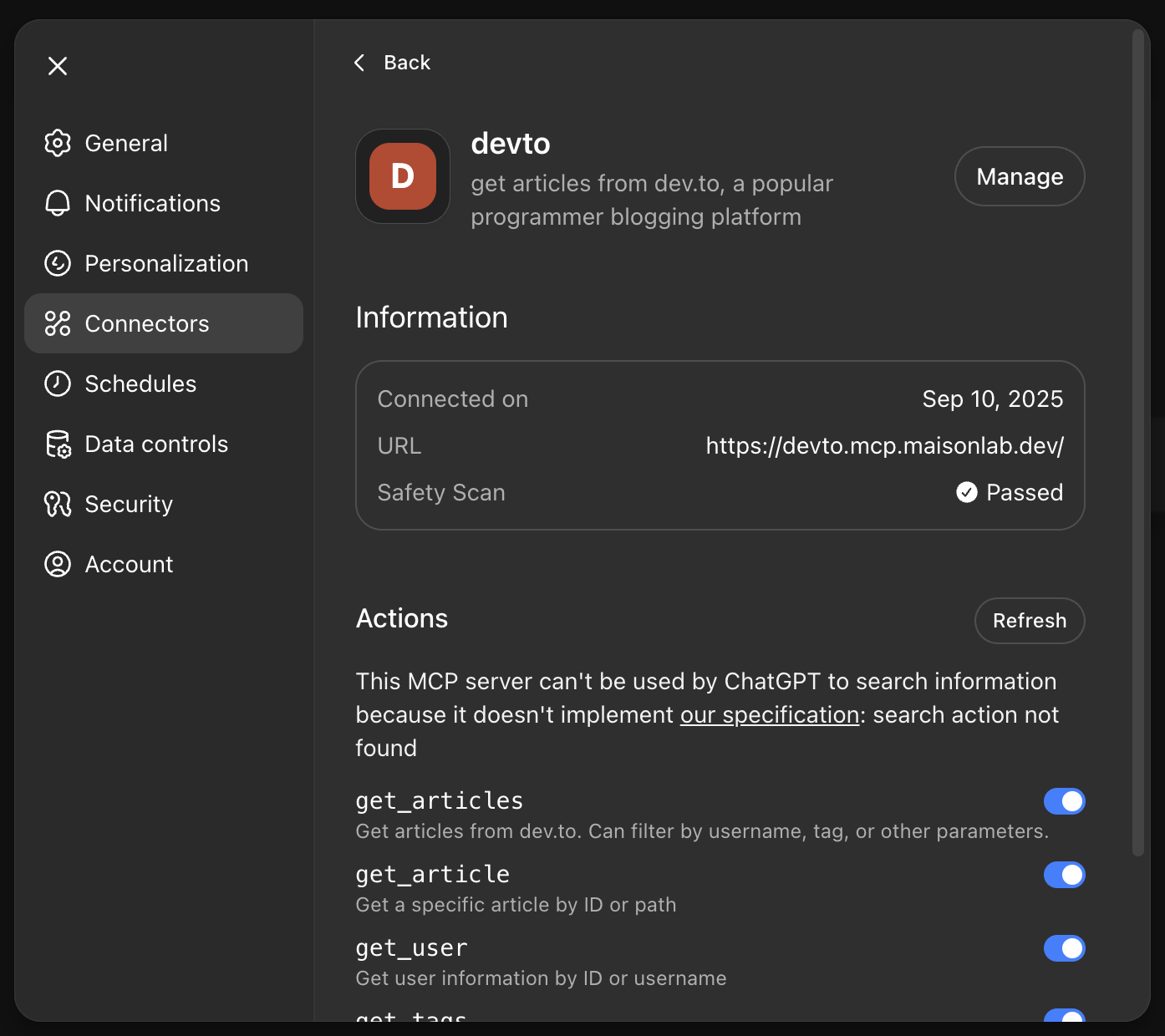
Thanks to my coworker @wasaga for pointing me toward that part of the MCP docs!
If you’re building MCP servers, check out the available tool annotations to make sure your tools are properly labeled.
Want to check out the dev.to MCP server? 👇 Also, don’t forget to give it a star!
https://github.com/nickytonline/dev-to-mcpUntil the next one peeps!
If you want to stay in touch, all my socials are on nickyt.online. Like dev tips? Check out OneTipAWeek.com!
Photo by Anton Savinov on Unsplash