How I Travel for Work
Table of Contents
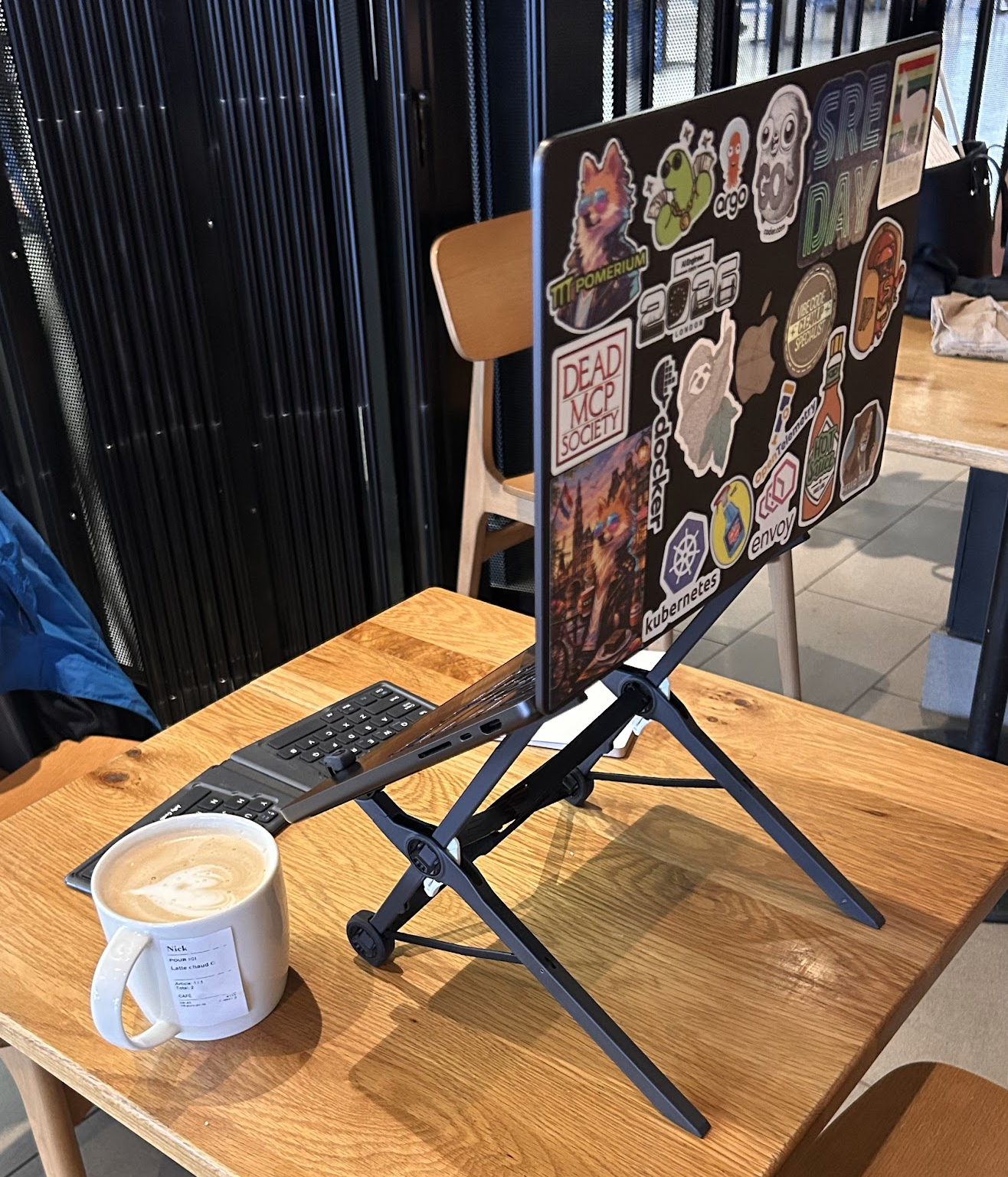
Almost every time I’m working out of a coffee shop, and sometimes at the airport, someone spots the stand my laptop is sitting on and asks, “What is that? Where’d you get it?” It happens enough that I figured I’d just write down what I actually travel with, for conferences or any time I’m not working out of my home office.
Some links in this post are affiliate or referral links, which means I may earn a small commission or credit at no additional cost to you.
My work travel gear list#
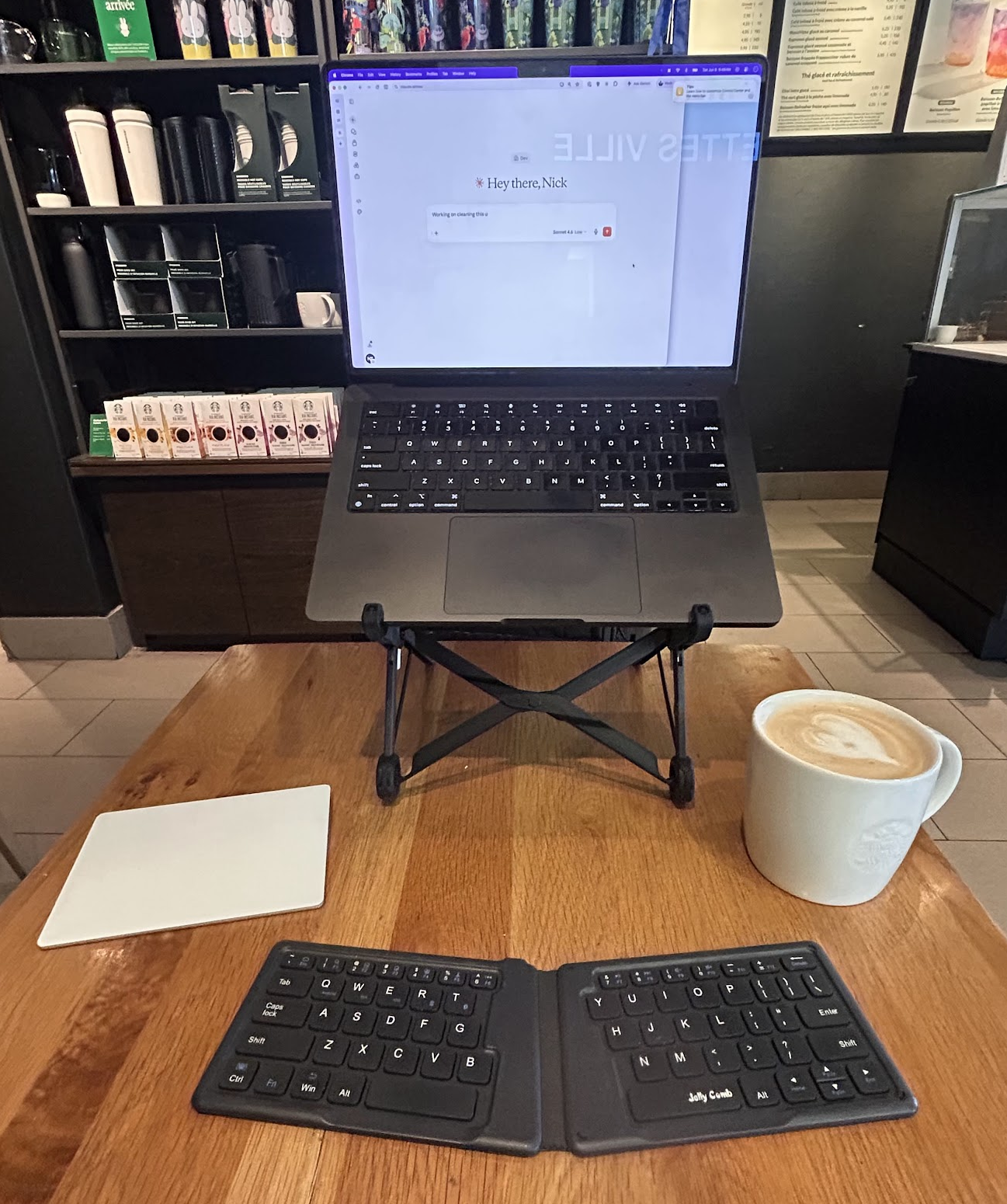
- Roost Laptop Stand. This is the one that starts the conversation. It folds down into something small enough to slide into a bag pocket, and it raises my laptop screen to a much more comfortable height, so I’m not hunched over it all day.
- Apple Magic Trackpad (White). I used to use this at my desk too, but work gave me an MX Master 3, and I’ve since moved on to the MX Master 4. The Magic Trackpad is strictly a travel tool these days.
- A tiny, folding Bluetooth keyboard. I bought a Jelly Comb Ultra Slim Folding Bluetooth Keyboard years ago and I don’t think that exact model is even sold anymore, but the category is the takeaway here: a folding keyboard that fits in a jacket pocket is genuinely great to have on hand.
- An Anker 25,000mAh laptop power bank with three USB-C ports capable of delivering up to 100W. This one’s big enough to actually charge my MacBook when I’m away from an outlet, rather than just topping up my phone.
- An Anker 727 Charging Station. This is basically my travel power hub: two USB-C ports, two USB-A ports, two AC outlets, and a detachable five-foot extension cord, all in something about the size of a phone. It can charge up to six devices at once and delivers up to 100W, so when I have access to an outlet, I use it for my MacBook, phone, watch, AirPods, and anything else that needs power. I leave the regular Mac power brick at home and bring this, the power bank, and my MagSafe cable instead. It looks like this exact model is currently unavailable, but it’s worth searching for the Anker 727 or a similar compact GaN travel power strip.
- Anker Magnetic Battery, 10,000 mAh Foldable Wireless Portable Charger. I picked this one up recently. Airports and conference halls are brutal on battery life, so having a battery that just magnetically sticks to my phone has been clutch.
- Anker USB-C to HDMI Adapter. For plugging into conference room displays or a hotel TV when I need a bigger screen.
- Airalo eSIMs. I’m in Canada and my phone plan already covers unlimited talk, text, and data in the US, so this one’s for everywhere else. I’ve been using Airalo for years now, and the pricing has always been reasonable. It beats paying ridiculous roaming fees or hunting down a SIM kiosk when you land somewhere your plan doesn’t cover. If you use referral code
NICK1387, you get a discount on your first eSIM and I get a small credit too. - Wireless lavalier mics. Small enough to not think twice about packing, and handy for in-person interviews on the road.
Together, the stand, keyboard, and trackpad give me a much more comfortable setup without taking up much room in my bag.
What I leave behind#
I’ve got a perfectly good Shure MV7+ mic that I use for streaming and podcasts, but I don’t travel with it. I don’t really want to risk it getting knocked around in my bag. If I end up doing a stream or podcast episode on the road, I use the built-in mic on my Mac.
Lighting’s the same story. I’m not running a full travel streaming setup, so if I need it, whatever’s in the hotel room is what I’ve got to work with.
Keeping tabs on my luggage#
I’ve got an AirTag in my luggage and one in my backpack. For checked luggage, it’s handy for the “did they actually put my bag on the right flight” question. For the backpack, I use the Find My app’s “notify when left behind” setting. If I leave the backpack in a hotel room and walk off without it, my phone lets me know before I get too far. Has saved me from myself more than once.
Skip the Uber, take the train#
This applies more in Europe, but some cities in North America too. A lot of airports have trains that take you straight into the city, and depending on where you’re staying, they’re often cheaper and much faster than sitting in traffic. I learned this the hard way the first time I flew into London. I didn’t realize Heathrow had direct train options, so I took an Uber instead and sat in it for two hours. Every trip since, I take the train.
It’s not just airports either. If a city has a metro or subway, I’ll use it to get around once I’m there too. Uber’s great and I still use it, but you don’t always need it.
If there’s no train option, I’ll take an Uber, or a Waymo.
If you travel for work, what’s your travel work setup?
If you want to stay in touch, all my socials are on nickyt.online.
Until the next one!
Photo by JESHOOTS.COM on Unsplash